ProZ.com frequently asked questionsTerminology/term help Main Main
1 - Terminology/term help 2 - KudoZ
2.1 - KudoZ: general 1.1 - Vad är KudoZ? KudoZ är ett användarbaserat nätverk där man får hjälp med termer. Det är uppdelat i två områden: "hjälp" KudoZ och "skapa ordlista" KudoZ. Dessa har mycket gemensamt men har olika syften: 1.2 - Glossary of KudoZ terms
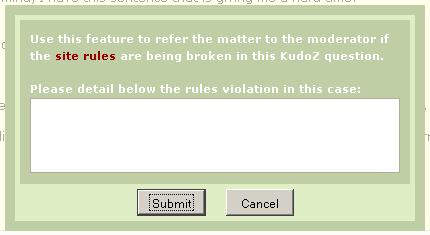
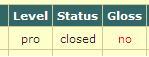
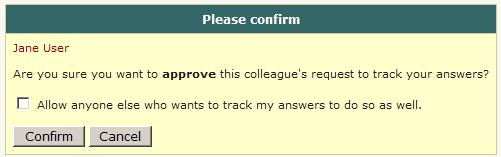
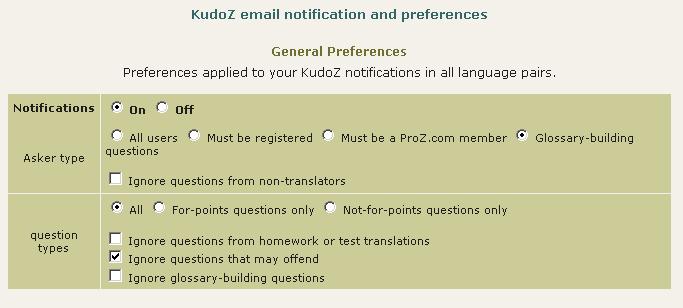
1.3 - Hur fungerar "help" KudoZ? En 'KudoZ-transaktion' består av tre steg: 1.4 - Vad är KudoZ-poäng bra för? Vissa kunder använder KudoZ-poäng som en merit när de söker översättare. Tanken är att om du behöver anlita en översättare med kunskap i medicin kan en person som har tjänat 300 poäng på medicinska frågor vara en bra kandidat att börja med. 1.5 - Hur uppdateras KudoZ-poäng? KudoZ-poängsummor som visas på vissa platser på webbplatsen uppdateras en gång om dagen medan de på andra platser uppdateras i realtid. Så det kan finnas temporära skillnader men detta korrigeras när alla poäng räknas en gång om dagen. 1.6 - Do I earn any KudoZ points by answering KudoZ questions? No. KudoZ points are only earned if one of your answer to any KudoZ question is selected by the asker or automatically by the system based on peer agreement. 1.7 - Vilka regler gäller för KudoZ-deltagande? Se KudoZ-reglerna: Allmänna regler, Regler för att ställa frågor and Regler för att svara och lämna instämmande kommentarer 1.8 - Can friends, family members or close associates participate in my KudoZ questions or answers? Participation in KudoZ questions, particularly using the peer comment system to "boost" an answer, or in asking and answering to gain KudoZ points, should not be carried out among the profiles of friends, family or close associates, in order to maintain a certain level of transparency in the KudoZ arena. In cases where interacting profiles are shown to be of this type, a mutual block may be applied to the profiles (this blocks the interaction between specific profiles only, not participation in KudoZ at large) to ensure fairness. 1.9 - Vad ska jag göra om KudoZ-reglerna bryts? När du ser att KudoZ-reglerna bryts bör du överlämna ärendet till moderatorn för språkparet i fråga. Det finns en lista över moderatorer här. 1.10 - Vad är tanken bakom KudoZ-kategorierna? KudoZ-frågor kan kategoriseras med hjälp av en områdeslista med cirka 100 poster. Listan som har skapats statistiskt från ämnesområden som ProZ.com-användare angivit i fritext, är en aning otydlig med avsikt. Eftersom en deltagare kanske tänker på exempelvis ”fordon” medan en annan tänker på ”bilar” finns båda kategorinamnen med i listan. 1.11 - Vad händer om en "hjälp" fråga inte betygsätts? Om en fråga har fått svar men inte avslutats inom tre dagar, skickas ett email till frågeställaren med en påminnelse om att betygsätta. Om en fråga förblir öppen efter att fyra sådana påminnelser skickats (under två veckor) görs ett försök att välja det bästa svaret automatiskt. En algoritm gör valet baserat på antalet instämmande kommentarer som varje svar fått, enligt följande regler: 1.12 - Are askers able to close a question without awarding points? Yes. An asker may choose to do this when s/he has asked a question in error (misspelled term, etc.), when no answer was deemed helpful, when a better term was found elsewhere (and no answer was deemed helpful), or in other cases. 1.13 - How often do askers close questions without awarding points? Less than 5% of the time. 1.14 - Var kan jag hitta en lista över mina tidigare frågor och svar? Gå till din profilsida och klicka på fliken KudoZ. Medlemmar kan också se en funktion som uppdaterar deras KudoZ-poäng här. 1.15 - Can I see questions in language pairs not reported in my profile? Yes. You can see KudoZ questions in all language pairs by clicking on See more languages in the KudoZ questions page. 1.16 - Under vilka omständigheter tas en KudoZ-fråga bort? Det finns ungefär tio möjliga orsaker till varför en KudoZ-fråga skulle tas bort. Dessa orsaker tas upp till diskussion i: denna artikel. 1.17 - What information can I see about a KudoZ asker? If you move your mouse over the asker's picture in a KudoZ question you will see a mouse-over message similar to the one pictured below: 1.18 - Vad gör knapparna "Vote PRO" eller "Vote non-PRO"? När det gäller en KudoZ fråga som är märkt som "help", kan deltagarna rösta om de vill kalla frågan för non-PRO och vice versa. 1.19 - When posting my question I selected by mistake the wrong level (PRO, non-PRO). What can I do? You should submit a support request to have this issue addressed by staff. 1.20 - Jag tycker att min poängsumma skulle ha ökat mer idag. Om du är medlem går det att forcera en uppdatering av dina poäng i realtid. Gå till din sida med sammanfattning av KudoZ-poäng och klicka på ”Uppdatera poängsumma nu”. Om du är en registrerad användare rättas eventuell diskrepans i poängsumman sannolikt till inom 24 timmar. 1.21 - En av mina KudoZ-poängsummor har minskat. Hur är detta möjligt? Utvalda poängsummor (totalt, PRO, efter område eller period) kan minska. Faktorer som kan orsaka detta: 1.22 - Hur kan jag ändra vad som visas i sammanfattningen av mina KudoZ-poäng på min profilsida? Användare kan välja att dölja vissa typer av KudoZ-poäng på sin sammanfattning på följande sida: http://www.proz.com/pro/?show_mode=kudoz&sub_mode=summary 1.23 - What do the "ok" and "no" under the the "Gloss" (glossary) column in my KudoZ activity section indicate?
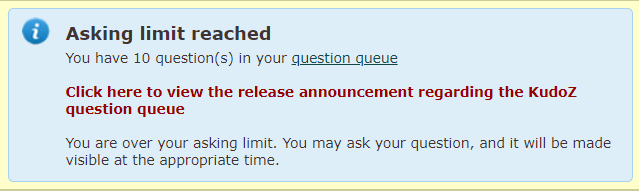
1.24 - Jag var tvungen att skapa en ny profil. Kan jag överföra mina poäng från föregående profil? Ja, om du är medlem kan supportpersonalen göra detta åt dig. Observera att inte bara dina poäng utan hela din KudoZ-historik (frågor, kommentarer, anmärkningar osv.) överförs. Du kommer inte att kunna komma åt den gamla profilen. 1.25 - Hur jag hindra ProZ.coms termsökning från att skriva om diakritiska tecken och tecken med accent? I vissa fall har ProZ.coms termsökning en begränsad möjlighet att skriva om diakritiska tecken och tecken med accent (exempelvis en sökning efter termen ”publica” kan även ge resultat som innehåller ”pública”). Du kan inaktivera den här funktionen genom att välja alternativet ”matcha exakt fras”. 1.26 - How can I enter a discussion entry? To enter a discussion entry you should click on the "Post discussion" button. A form will show to allow you to post a title and the body of your entry. These fields are limited to 50 and 1200 characters respectively (there is a counter to tell you how many characters you have left for the main field). There is a preview option and buttons for submitting the entry and for canceling the operation. 1.27 - Jag föreslår att man ska betala för att få delta i KudoZ. Härigenom skulle kvaliteten öka. Vi har för närvarande inga planer på att begränsa användandet av KudoZ till medlemmar, eller att avgiftsbelägga användandet av KudoZ. Man kan emellertid ange visnings- och meddelandeinställningar på ett sådant sätt så att bara frågor från medlemmar visas. När du ställer en fråga är det också möjligt att ange att de som svarar måste vara medlemmar. 1.28 - Are KudoZ questions indexed by search engines? Yes. As with the public forums, KudoZ questions are indexed by search engines. 1.29 - What do the time references next to the confidence level and in the peer section indicate? They indicate the time elapsed from the moment the question was asked until the other action "answer", "peer comment" took place. The times shown are measured in relation to moment the question was asked. 1.30 - Can the asker enter in the glossary a term different from the one suggested in the selected question? Yes. Points are (or should be) given to the most helpful answer, while the best possible term should be entered in the glossary, even if it was not suggested by the answerer who won the points. 1.31 - A user in my sub-community regularly posts bad answers and they are sometimes selected and I am concerned that the glossary will deteriorate. Many valuable colleagues are of the same opinion and several of them have abandoned KudoZ. What can be done? The system includes the "disagree" feature. If answers considered invalid receive several disagrees based on linguistic (not personal) comments, then the amount of "bad" answers is likely to be reduced. 1.32 - I was the first to provide the right answer to a KudoZ question and then other user provided the same answer adding few more explanations and received the points (instead of agreeing to my answer). Is this allowed? Askers have the right to select the answers they consider most helpful to their questions. 1.33 - How does the first validated answer mode work? Askers have the option of asking questions in "first validated answer" (FVA) mode. When the FVA option is selected, instead of multiple answers being submitted and the asker selecting the one that is most helpful, the goal is for one correct translation to be agreed upon by the answerer community. An FVA question is therefore considered closed as soon as one answer gets two net agrees (in top pairs, two net agrees must come from users who meet the criteria for the question). 1.34 - What are AI-generated KudoZ answers? AI-generated KudoZ answers are automatic answers generated by AI technology, in this case, by ChatGPT. This answers are marked as such within the answer itself. 1.35 - How are AI KudoZ answers generated? Most AI technology brings information back by means of prompts. Think of prompts like instructions you give to the AI. When you ask a question or tell it something, that's your prompt. In order to generate a KudoZ answer, we send ChatGPT three different prompts: one to get a proposed translation of the source term taking into account the information supplied by the asker (languages, fields, contect), one to obtain an explanation of the proposed translation that also includes sample sentences, and a last one to get confidence level information (i.e. to know how confident the AI feels about its proposed translation). Once this information is returned by the AI, a KudoZ answer is automatically built with it and posted together with the question (provided the asker has selected the AI-generated answer option). 1.36 - Who posts AI-generated answers? AI answers are generated and posted automatically when an askers select this option in the KudoZ question form: 1.37 - Are askers notified of AI-generated answers to their questions? No. For the time being, no email notification is sent for AI-generated answers. 1.38 - Can KudoZ participants peer grade AI-generated answers? Yes, KudoZ participants are encouraged to agree or disagree (or remain neutral) with AI-generated KudoZ answers. Peer grades will count in the case of automatic grading. Click here for details about automatic grading. 1.39 - Can KudoZ askers select AI-generated answers as the most helpful and award points to the AI? Yes, KudoZ askers can select an AI-generated answer as the most helpful one and award KudoZ points to the AI. These KudoZ points, however, will not be used to rank the AI profile in the directory. Click here to learn how KudoZ points count for directory ranking. 1.40 - Do KudoZ points “earned” by the AI count for directory ranking? No. KudoZ points awarded to the AI for KudoZ answers selected as the most helpful will not count for directory placement. 1.41 - What is the purpose of adding AI to KudoZ? The integration of AI into term help is thought as a supporting feature. If AI technology is available out there and language professionals are using it (in many different ways), why not include it in KudoZ and enable them to realize their full potential? ProZ.com provides tools and opportunities to its members. This is just another one of many. Click here to see a full list of membership benefits. 2.2 - Asking 2.1 - Vad är det som utgör ”hjälp med termer” enligt definitionen i regeln http://www.proz.com/siterules/kudoz_general/1.1#1.1 ? KudoZ-frågor kan användas för att be om hjälp med termer eller idiomatiska uttryck. 2.2 - What is the meaning of "one term is allowed per question" in KudoZ rule 2.1? Unless they share a root or are otherwise related, terms should be posted separately--an asker should not ask how to say "apple" and "banana" in the same question. This means that a question such as "flotsam/jetsam/derelict" in a context of maritime law would be not valid, since the terms are independent and should posted in three separate questions. On the other hand, "the flotsam and jetsam of the inner city" would be OK, as the terms flotsam and jetsam are related in a unit of meaning. Other examples of valid KudoZ questions are: "screen / screening" (they share a root), "Many levels in this game were heavily tuned for smoothness" (terms related as a unit of meaning in a particular context). 2.3 - Finns det en gräns för antalet frågor jag kan ställa? Ja. Din dagliga gräns (mätt över en löpande 24-timmarsperiod) beror på din medlemskapsnivå. Om du inte är registrerad på ProZ.com kan du ställa en (1) fråga per dag. Om du är registrerad men inte medlem kan du ställa fem (5) frågor. Om du är medlem kan du ställa femton (15) frågor. Det finns även gränser på 20 frågor per vecka för registrerade icke-medlemmar och 60 frågor för medlemmar. Om du har tio (10) frågor som har fått giltiga svar och har varit öppna i mer än en vecka får du inte ställa fler frågor. Betygsätt och avsluta dessa frågor om du vill ställa fler frågor. 2.4 - What happens if I ask questions beyond the daily or weekly limits? When you ask questions beyond the limits corresponding to your membership status, these extra questions are added to the KudoZ question queue and they will be made visible automatically when enough time has elapsed for the question to be within asking limits. 2.5 - Jag har en benägenhet att spara mina termfrågor till slutet av ett projekt. Kan jag på något sätt komma runt gränsen? Vi tror att gränsen på femton (15) per dag borde vara tillräckligt hög för de flesta personer. Genom att sprida ut dina frågor över exempelvis de två sista dagarna i ett projekt kan du ställa trettio (30) frågor. Om du behöver ställa fler frågor och är medlem kan du fråga supportpersonalen om att få tillfällig dispens. 2.6 - Can I post a question in more than one language pair? It is not possible to post a single question in different language pairs. However, several questions in different language pairs may be posted for a single term. 2.7 - Kan jag ställa en enspråkig kudoz-fråga? Ja, men det finns inget särskilt Kudoz-område. Det du måste göra om du vill ställa en fråga på bara ett språk (t.ex. engelska till engelska) är att gå till "Fråga" på fliken Kudoz. Därefter klickar du på 'Se fler språk' i formuläret. Du ser två listor där du kan välja önskat språk två gånger. På det sättet bildas en enspråkig fråga. 2.8 - Jag är osäker på om en fråga ska klassificeras som icke-PRO eller PRO. Vad är skillnaden? Trots att det inte går att dra en tydlig gräns har följande definitioner bestämts för de två frågetyperna:
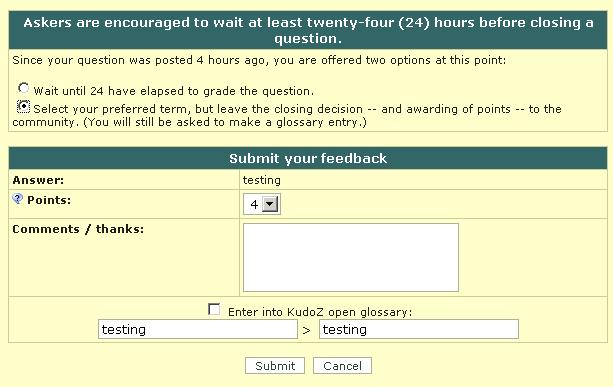
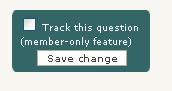
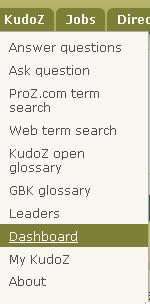
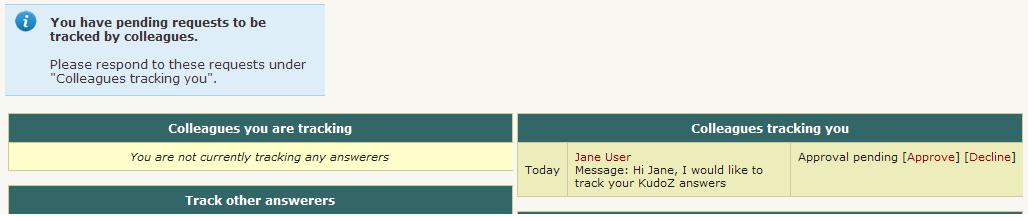
När du tillämpar ovanstående definitioner ska du bortse från din egen bakgrund/specialisering och tänka på en – hypotetisk – slumpmässigt vald tvåspråkig person. Är det sannolikt att den här personen skulle kunna göra en bra översättning av termen eller frasen i frågan (och i det speciella sammanhanget) utan att vara förberedd? Om inte, är det en PRO-fråga. Det finns en article artikel som tar upp detta mer ingående. 2.9 - What should I do if I don't have context to include in my KudoZ question? There is always some context to provide, such as information about the type of customer (an oil company? a plumber? a dentist? ), the type of document you are translating, the subject, etc. 2.10 - Kan jag lägga till mer information till min fråga? Kan jag redigera den? Du kan inte redigera en fråga men du kan lägga till kommentarer. Ett formulär visas på sidan med frågan. (Om du tappar bort en fråga kan du hitta länken i e-postbekräftelsen.) 2.11 - Can KudoZ askers direct their questions to specific site users? Yes. When posting a KudoZ question, askers are given the option to restrict their KudoZ questions by 1) profile information (native language, language pair and field) and 2) membership status. If the asker selects the option "Only ProZ.com members may answer" when posting his/her question, the "Answer" button will not be visible to non-members and the following message will show to them: 2.12 - Kan jag skicka min fråga enbart till vissa personer jag känner? Det kan du göra om du är (betalande) ProZ.com-medlem. 2.13 - Varför skulle jag vilja begränsa en fråga till vissa personer? Många som svarar på KudoZ-frågor lär sig vilka ProZ.com-medlemmar som specialiserar sig på olika områden. Vid givna termer väljer de att rådfråga dessa experter direkt. Om du gör så via KudoZ blir detta förfarande mer standardiserat och praktiskt. Det leder även till att det finns ett sökbart register över de översättningar som skickats in. 2.14 - Varför skulle jag begränsa åtkomst till en fråga till vissa medlemsklasser? Ibland vill frågeställare ha feedback från särskilda grupper, t.ex. de som har målspråket som modersmål, de som arbetar inom ett område eller andra valda klasser av ProZ.com-medlemmar. Det finns funktioner för att hantera ovanstående. 2.15 - Om jag ställer en fråga privat, dvs. begränsar den till något av mina team, kan andra se den då? Går det att leta upp den i arkiven? Om du är medlem kan du välja att hålla termen hemlig på obestämd tid. Om du är registrerad användare kan du välja att hålla termen hemlig i en månad. Därefter blir den offentlig och går att leta upp. 2.16 - I see a "squash" button under a KudoZ question I have posted, what does that mean? If you have posted a KudoZ term help question and it has not received an answer, you will have the option to "squash" or remove the question until it receives at least one answer. This allows users to remove mistakenly-posted questions without the assistance of a moderator or KudoZ editor. 2.17 - Hur kan jag tacka de som svarat på en KudoZ-fråga utan att ha avböjt eller betygsatt än? Du kan klicka på namnet på personen och skriva till henne/honom via profilsidan. Då skickas ett e-brev till henne/honom. 2.18 - Hur betygsätter jag min KudoZ-fråga? För att betygsätta din KudoZ-fråga måste du klicka på länken som heter ”Välj detta svar som mest användbart” i svarsrutan för det svar som var till mest nytta. När du har klickat på länken ”Välj detta svar som mest användbart” visas ett fönster där du kan dela ut KudoZ-poängen och föra in KudoZ-termen i din ordlista, den öppna KudoZ-ordlistan (KOG) eller båda. 2.19 - I did not enter the term to the KOG at the time I graded my question, but I would like to enter it now. How can I do that? Simply click on the "gloss" button below the "Summary of answers provided" chart. 2.20 - Can I grade my question less than 24 hours after posting it? KudoZ rule 2.10 recommends that askers allow at least twenty-four (24) hours to pass before closing a question. 2.21 - Jag har tappat bort länken till min e-postbekräftelse. Hur kan jag betygsätta min KudoZ-fråga? Om du tappat bort länken till ditt email med bekräftelsen kan du hämta en ny antingen genom att kontakta supporten online och/eller så kan du kontakta en moderator och be dem skicka länken till ditt email. Kom ihåg att det är viktigt att du skickar länken till din KudoZ-fråga när du ber om en ny email bekräftelse. 2.22 - Kan jag sätta poäng på mer än ett svar? Nej, du kan bara välja ett som det ”mest användbara” svaret. Att dela poäng mellan de som svarar har diskuterats, men bedömts ge relativt små fördelar och alltså inte införts, detta på grund av svårigheterna med att administrera poängen och t.ex hur man fördelar fyra poäng mellan tre svar. 2.23 - Jag avslutade en fråga utan att välja ett bästa svar. Kan jag öppna frågan igen? Ja, klicka på knappen ÖPPNA. Skicka in ett supportärende om du är osäker. 2.24 - Hur kan jag avsluta en KudoZ-fråga som jag har ställt och som inte har fått något svar. Klicka på knappen ”Betygsätt” på din sida med frågor. Då kommer du till nästa sida där du ska klicka på knappen ”Avsluta utan att betygsätta”. (källa: Mikhail Kropotov) 2.25 - Hur kan jag sluta att ta emot e-mail påminnelser att betygsätta mina frågor? Den som ställer en fråga får påminnelser via e-post om att betygsätta öppna KudoZ-frågor med antagbara svar efter 5, 7, 9 och 11 dagar efter det att frågan ställts. 2.26 - Vilka kriterier gäller för hur många poäng (1-4) jag ska ge till valt svar? Du kan ha följande skala som riktlinje när du beslutar dig för hur många poäng du ska dela ut: 2.27 - Points were awarded to an answer to my question but I would like to select another answer instead. How can I un-grade my question? To un-grade a question you have asked in order to award the points to the answer you found most helpful, you will need to first obtain the agreement of the answerer to whom the points have been given. Both you and the answerer should express this agreement either to the assigned moderator(s), or via support request. 2.28 - I have included confidential information in a question. Can I have it removed? If you posted a KudoZ question that contains confidential information, please submit a support request, specifying the exact information you would like to have remove so that staff can remove this information for you. 2.3 - Answering 3.1 - Jag kan inte se en KudoZ-fråga. Vad kan jag göra? Skicka webbadressen och en skärmdump av sidan till supporten på proz.com! 3.2 - När jag söker efter frågor från enbart medlemmar lägger jag märke till något konstigt. Om du använder alternativet endast medlemmar (tillängligt under ”typ av frågeställare” på sidan med KudoZ-listan http://www.proz.com/kudoz ) begränsas frågorna du ser till dem som ställs av användare som var medlemmar *då de fick frågan*. Eftersom frågeställarnas typ av medlemsskap bara har registrerats på sista tiden blir resultatsiffran låg. Det faktum att det finns olika typer av medlemskap (fullt, partiellt) och det faktum att några medlemskap går ut kan skapa intrycket av att någonting är fel. 3.3 - Kan jag ändå svara på en fråga om den är avslutad och poängen redan delats ut? När poängen delats ut avslutas frågan men du kan svara på den även när den är avslutad. 3.4 - Kan jag redigera svaret jag gav på en KudoZ-fråga? Nej. Det skulle vara orättvist mot andra som svarat om man fick redigera ett svar. Du kan i så fall lägga till en kommentar till svaret. I vissa fall kan ett felaktigt svar döljas av den som svarat och det korrekta svaret anges i dess ställe. 3.5 - Varför visas ordet ”Dölj” i mina svarsrutor? Du får dölja dina egna svar. Detta är ett sätt att dra tillbaka svar. 3.6 - Hur kan jag ta fram ett svar som jag dolt? Svar som döljs kan inte göras synliga igen. Du bör endast använda länken ”Dölj svar” om du vill dölja svaret permanent. 3.7 - Är det mot reglerna att dölja mitt svar och skicka in ett annat? Att skicka in mer än ett svar är acceptabelt om det händer ibland. Men det är mot KudoZ regler att systematiskt skicka in flera översättningar, vare sig man gömmer tidigare svar eller inte. Mer om detta på rules for answering KudoZ. 3.8 - Will my hidden answers be visible in my list of answers? You will always be able to see the answers you have hidden in your list of KudoZ answers. Other users will only see your hidden answers if you have hidden 10% or more of your total answers (but no less than 20 answers). 3.9 - What is the meaning of "no more than one answer per question" in KudoZ rule 3.1? Submitting an answer to a KudoZ question and then submitting one or more additional answers to the same question is discouraged (even if the original answer was hidden) and doing this in a systematic way is forbidden by the rules. Answerers can add as many comments as they want to their answers. Offering several terms together in the same answer (ANSWER1/ANSWER2/ANSWER3) is not forbidden, but discouraged, as it interferes with the glossary format. 3.10 - Vad betyder det när en fråga markeras ”Ej för poäng”? Vissa användare tycker att tilldelandet av KudoZ-poäng förringar KudoZ-upplevelsen. Sådana användare kan välja att ställa en fråga som inte ger poäng. Det går inte att tjäna KudoZ-poäng genom att svara på sådana frågor. 3.11 - Om jag svarar på "Ej för poäng"-frågor, visas de i KudoZ-historiken på min profilsida? Ja. Sådana frågor markeras med en färg som visar att det inte gick att få poäng. 3.12 - Förbättras min position på KudoZ-ledartavlan eller ProZ.coms översättarregister om jag svarar på "Ej för poäng"-frågor? Nej. Fördelarna med att svara på frågor som inte ger poäng är inte tekniska, utan endast indirekta (inlärning, hjälp, kontaktskapande osv.). 3.13 - What does Confidence level show? Confidence level is the degree of certainty expressed by an answerer regarding his or her own answer. This information is provided by an answerer in the Kudoz Answer form. Confidence level is a required field and an answerer is suggested to select one of the 5 (five) possible confidence levels: 3.14 - I don't know the answer to a KudoZ question, but I have some information that could help the asker. Where should I post this information? If you cannot think of an appropriate answer to a KudoZ question, but you have information that may help the asker or other participants to come up with a good translation, make a reference post by clicking on "Post reference" and include such relevant information. 3.15 - I do not see the "Post reference" button in a KudoZ question. Why? Once you posted a Kudoz answer, you will not be able to post a reference. It is assumed that you put all the information in your Kudoz answer. This makes your answer a more useful resource, and ensures all the information is kept in one place. 3.16 - Under what conditions can an answerer use the discussion entries feature? Answerers can use the discussion entry to ask the asker for context information or to engage in linguistic discussions of some points of the question asked. In general, opinions on other answers should be provided in the peer grading interface while additional comments supporting their answers should be presented as comments in the answers themselves. Systematic use of the discussion entry to promote an answer provided will not be allowed. 3.17 - How can I avoid answering questions from askers who tend to close their questions without grading them? You can see how many questions an asker has closed without grading by mousing over their name in a KudoZ question they have asked. (There is also an option to filter out questions from certain askers in the lists of questions.) 3.18 - 2.4 - Peer commenting 4.1 - Kan jag hålla med om mer än ett svar på en fråga? Ja. Du får gärna instämma med alla svar som du tycker är rätt och inte hålla med om alla de svar du anser är felaktiga. 4.2 - Vad händer när någon inte håller med om ett svar? Att inte hålla med är bara en signal till personen som ställde frågan att du (och kanske andra) inte tycker att svaret är rätt. Den som frågar väljer själv sedan om hon/han ska godta förslaget eller inte. 4.3 - Jag gjorde en kommentar och vill svara på det svar jag fått. Kan jag göra det? Nej. För att förhindra KudoZ-trådar från att avvika från ämnet tillåts inte flera ordväxlingar runt varje svar. Någon kan kommentera och få ett svar, men där slutar ordväxlingen. (Möjligheten att redigera kommentarer och svar på dem ges endast för syftet att redigera stavning, korrigera brutna länkar eller göra liknande ändringar.) Se till att klargöra vad du menar tydligt och koncist. Du får bara en chans. 4.4 - Jag ser en länk för att ”redigera/ta bort” min kommentar. Vad är den till för? Du kan redigera din kommentar via länken ”redigera/ta bort”. Kom ihåg att avsikten med detta endast är att du ska kunna redigera stavning, korrigera trasiga länkar eller göra liknande ändringar. 4.5 - Can I comment on an answerer's confidence level in my peer comment? No. Peer comments should be purely linguistic in nature (see KudoZ rule 3.5). Making comments or insinuations regarding an answerer's confidence level would not be in line with KudoZ rule 3.7. 2.5 - KudoZ editors 5.1 - Jag ser att vissa användare (inte moderatorer) omklassificerar eller tar bort andras frågor. Hur väljs dessa medlemmar? Moderatorer kan bjuda in medlemmar/registrerade användare som har minst 300 KudoZ-poäng att läsa anvisningarna för omklassificering och borttagning och därefter göra ett kort test. De som klarar testet har rätt att redigera på dessa sätt. 5.2 - Is site moderation one of the responsibilities of KudoZ editors? No. KudoZ editors are site users who have been given the right to perform some editing functions on KudoZ questions, namely the change or reversion of KudoZ question language pairs, the removal of questions if these are not in line with site rules or if they are duplicated, and the change of KudoZ question fields. 5.3 - Ett alternativ visades där jag kunde redigera andra personers frågor. Varför? En del användare som uppnår ett visst antal KudoZ poäng (500), kan bli inbjudna att bli redigerare. Om de tackar ja och uppfyller alla krav, kommer de att få möjlighet att korrigera "hjälp" frågor som andra har skickat in. Om en fråga borde ha varit från spanska till engelska men har rubricerats som engelska till spanska, kan de korrigera detta. 5.4 - I would like to apply to become a KudoZ editor. Can I? No, it is not possible to submit an application to become a KudoZ editor, an invitation has to be issued by a moderator or site staff. 5.5 - Can KudoZ editors reclassify a question form PRO into non-PRO and vice versa? No, KudoZ editors and moderators will have to vote like any other member for the change of status of questions (instead of forcing this change of status.) 5.6 - Does membership determine someone's eligibility to become a KudoZ editor? No, eligibility is not determined by membership status. 2.6 - KudoZ notifications 6.1 - Jag får inte några e-postmeddelanden om KudoZ-frågor. Om du inte får några email om KudoZ alls och aldrig har fått några ska du kontrollera inställningarna på din profilsida . Du får inte några meddelanden om: 6.2 - Jag får inte alla KudoZ-meddelanden som jag borde få. När e-postmeddelanden skickas ut för KudoZ-frågor tas följande kriterier i beaktande: språkpar, ämnesområde och svårighetsnivå. Om du inte har fått ett e-postmeddelande om en fråga ska du kontrollera att dina profilinställningar är sådana så att du skulle ha fått det. Om du är övertygad om att de är det ber vi dig att skicka en supportförfrågan, inklusive webbadressen(-erna) till en eller flera KudoZ-frågor som du borde ha fått meddelande om. ProZ.com-personal kontrollerar då att e-postmeddelandet till dig har lämnat ProZ.com-servrarna. (Om så är fallet kan det bero på problem eller filtrering hos din Internetleverantör eller på din dator.) 6.3 - Jag får för många e-postmeddelanden om KudoZ-frågor. Du kan minska antalet e-postmeddelanden om KudoZ-frågor genom att prova att välja färre ämnesområden i inställningarna för KudoZ-meddelanden. Om du inte vill ha några e-postmeddelanden alls om KudoZ-frågor längre väljer du bara alternativet 'Nej' på den första frågan på KudoZ-instrumentpanelen. 6.4 - Ibland får jag frågor via epost som jag inte kan se på webbsidan, och ibland ser jag frågor men har inte fått något epostmeddelande ... Inställningar för e-post och visning görs separat. E-postinställningar görs via instrumentpanelen – http://www.proz.com/dashboard – och visningsinställningar görs via sidan med KudoZ-listan – http://www.proz.com/kudoz 6.5 - Vad är ett dagligt sammandrag? Det är ett meddelande som innehåller en kort sammanfattning av frågorna som ställts under dagen samt en kort lista över alla svar på dessa frågor hittills. 6.6 - Hur får jag KudoZ-meddelanden från mitt team? En medlem i ditt team kan skicka in en KudoZ-fråga som enbart visas för teamet. Allt du behöver göra för att få meddelanden om den här typen av frågor är att aktivera meddelanden och relaterat språkpar i dina arbets- eller intressepar. 6.7 - Can I track a particular KudoZ question? Yes. If you are a paying member you can track any KudoZ question. For each question you will see a track setting box in the left navigation column of the page which looks like this: 6.8 - How can I get notifications when a certain person asks a KudoZ question? In order to get a notification every time a certain registered user asks a KudoZ question you have to "flag" this asker as follows: 6.9 - I don't want notifications of a particular person's questions-- what can I do? If you become convinced that a certain member is not likely to ask questions that are of interest to you, you may opt to "filter" that member's questions (regardless of your notification settings.) 6.10 - How can I get notifications when a certain user posts a KudoZ answer or reference comment? In order to get a notification every time a certain registered user posts a KudoZ answer or reference comment you have get this user's authorization to track his/her answers. To do so: 6.11 - What are my options for the KudoZ tracking feature? There are three basic conditions that you can configure selecting My ProZ.com -> Dashboard in your top drop-down menu : 6.12 - A user asked for authorization to track my KudoZ answers. Why would someone want to do this? While the motives could be different for each user, two likely reasons to do so would be (a) to learn from someone who is good in a certain field of expertise or (b) to evaluate a translator for possible future collaborations. Remember that you can revoke the right to track your answers at any time. 6.13 - A site user would like to track my answers, what should I do? To work on your answer tracking options, select My ProZ.com -> Dashboard in your top drop-down menu : 6.14 - How can I be notified of KudoZ questions in other language pairs? To be notified of questions asked in language pairs you do not want to list as working language pairs in your profile, just report the language pairs in question as interest language pairs. 6.15 - I want to get Kudoz notifications for opposite language pairs to my working languages. First, indicate direct pairs as "working" and reverse pairs as "interest" in your Profile Updater . Then, use these parameters to set up notifications settings. 3 - Glossary-building KudoZ 3.1 - What is the purpose of the glossary-building KudoZ (GBK) questions? The primary purpose of this new question type is to enable the ProZ.com community to together find the best translation of a given term into a given language, and to incorporate the term and its translation into an authoritative glossary which will be made available openly under the Creative Commons "by" license ("CC-by"). 3.2 - How do glossary-building KudoZ (GBK) work? A glossary-building KudoZ (GBK) 'transaction' involves three steps: 3.3 - Who can participate in the glossary-building KudoZ (GBK) questions? Participation in a GBK question, including answering, posting references and grading, is limited during the first 72 hours to site users who (1) Have the corresponding field(s) of expertise among their "speciality" fields. (2) Have the corresponding language pair or the reverse pair among their working ones. (3) Are native in either source or target languages. 3.4 - Why is the participation limited in glossary-building KudoZ? The purpose of the glossary-building KudoZ is to coordinate the efforts of willing members of the ProZ.com community in building up an authoritative glossary of terms and their translations in many languages and fields. With a focus on the quality of the resulting glossary entries and ample time for submission and selection of answers, it was decided to limit participation to specialists in the field and language pair. 3.5 - Why are these limitations not applied to "help term" KudoZ as well? The main goal of "term help" KudoZ is to provide those in need of translation assistance with access to timely help. Therefore the access is open to allow the participation of anybody willing and able to help. The asker selects the most helpful among the responses received (and awards points for it). 3.6 - What are the additional fields of expertise? A GBK has a main field of expertise and may have one or more additional fields of expertise. These additional field are also included in the filter (notifications and access to the question). 3.7 - I added in my profile the specialty field needed to answer a GBK question but I still can't answer it. Users who adds a new "specialty" field of expertise to their profiles will not be provided access to GBK filtered by this particular field for 72 hours after implementing this change. This aims to preventing users from modifying their profiles in order to "follow" the specialties requested in the questions. 3.8 - How are GBK questions graded? At the end of the 72-hours submission phase (and periodically if the question entered in a selection phase) an 'auto-grading robot' makes its selection based on the net number of peer 'agrees' received by each answer, according to the following rules: 3.9 - The submission period for a GBK question has ended and the question is still open. Can I still submit a translation? Yes. Answers can be posted during the "working" period, or even after the question has been closed. 3.10 - Can I provide more than one answer as different options when answering a GBK question? Answerers in GBK can provide more than one answer to the same term, as this is the proper way to offer synonyms. In this case the example sentence(s) should include the term offered in each answer. 3.11 - Can I post more than one term in my answer to a GBK question? No. Even if you know two or more different terms to answer a GBK question you should provide only one of them in your answer, the one used in the example sentence(s). 3.12 - Is it OK to to answer a GBK question suggesting the same term already offered in another answer? Yes. A GBK answer includes a term, a definition and at least one example sentence. The term is only a part of the answer, and it could happen that the second answer offering the same term includes, for instance, a better definition. 3.13 - I want (or do not want) to receive notifications about GBK questions, what should I do? You should un-check (check) the option "Ignore glossary-building questions " and click on "Save settings" in the KudoZ dashboard. 3.14 - I want to receive only notifications about GBK questions, what should I do? You should select the option Asker type = "Glossary-building questions " in the KudoZ dashboard. 3.15 - How are the GBK questions created? "Glossary-building KudoZ concepts" are selected from current KudoZ entries or from other sources, and are edited to make sure they have the proper terms, definitions and examples of use. This is currently being done in English, but other languages could be added later. 3.16 - There is no "neutral" option in the peer comments. How can I leave a comment to the answerer? If you are allowed to provide a peer-comment, then you should be able to post a note to the answerer by using the link provided at the bottom of the answer. 3.17 - What is the "Glossary-building KudoZ questions" box displayed in the home page? Can I customize what I see there? Users who meet the criteria to answer GBK questions and have a minimum of 5 or 10 open questions available to answer (selectable) will be presented with a box displaying a randomly selected open question. 4 - Personal glossaries 4.1 - How do I create a glossary? To add a new glossary to the My glossaries section, just click on the plus sign () to the right of "My glossaries" and enter your chosen name, then, press "Enter" or click on the "Save" button to create your glossary. 4.2 - How do I add a term to a glossary? Head to My glossaries and click on the glossary you want to update. Click on the "Add new term" button and enter your source and target terms and the corresponding languages. 4.3 - How do I upload an existing glossary? Go to the My glossaries section and click on the "Import terms" button. 4.4 - How do I edit an existing term? Once you're at the My glossaries section, click on the glossary you need to update and find the relevant term. 4.5 - How do I rename an existing glossary? Go to the Personal glossaries section and look for the glossary you want to update under the "My glossaries" header. 4.6 - Can I download my ProZ.com glossaries to my computer? Yes. You can download your glossaries as a simple CSV file. 4.7 - How do I move a term from one glossary to another? Go to the My glossaries section and click on the glossary where the terms you want to move are currently located. 4.8 - How can I merge my glossaries? You can use the "Move" function to merge your glossaries. If your glossaries are too large to move 50 terms at a time, you may download one and then import the file into another. 4.9 - How can I remove an existing glossary? To remove a glossary you have created, just click on the recycling bin button () to the right of the glossary. A confirmation box will appear to make sure you want to remove the glossary. 4.10 - Can I create a multilingual glossary? ProZ.com glossaries only support bilingual entries, but you can create entries in various language combinations within the same glossary. 4.11 - How can I send/receive glossaries through my profile? You can send and/or receive glossary files using the Send file tool in profiles. 5 - GlossPost 5.1 - What is GlossPost? GlossPost is a searchable database of links to glossaries on the Internet. It has been compiled by members of ProZ.com and the YahooGroup of the same name created in February 2000 by Brazilian translator and conference interpreter Maria Eugenia Farre. The database is maintained by a group of volunteer moderators, however any ProZ.com member can search the database or submit new glossary URLs. 5.2 - What are the goals driving GlossPost at ProZ.com? We have three main goals: 5.3 - What are the possibilities created by the collaboration between GlossPost and ProZ.com? In brief: creating a larger database of glossary URLs, with addresses in more language combinations, annotated by translators. Since its inception, GlossPost has attracted mostly translators specializing in Western languages. Since ProZ.com is a huge multilingual community with active participants across the whole linguistic spectrum, we hope that translators of other languages will also feel compelled to add links to the glossaries they use in their daily work to the benefit of all. 5.4 - How many links from the original GlossPost archives have been included? At launch, approximately 1,600 links from the archives have been included automatically. This doesn't cover the entire GlossPost original database, but there are plans to import more links in the future, as time permits. 5.5 - Will the links in the GlossPost database at ProZ.com be checked to prevent dead pages and repeat URLs? In our new home at ProZ.com, we want to address all the concerns and issues that affected GlossPost subscribers in the past. Link rot is one of them, and we are not the only sufferers. The GlossPost URLs at ProZ.com will be checked periodically using an automated function to make sure that the database remains as current as possible. Also, manual editing of the URLs has been made possible. Links can be checked and marked good or bad, made invisible or visible to other users by the users themselves and also by the moderators. Incomplete entries can be supplemented by addition information from other users. 5.6 - What are the searching capabilities included in the GlossPost database at ProZ.com? The searching capabilities have been greatly improved. At the new database, users will be able to browse the glossary URLs, search by keyword, language combination, discipline or BSO category. For obvious reasons, the ability to search by language combination was one of the most common requests received from GlossPost subscribers. A feature enabling automated announcements of glossary URLs in the language combinations specified by ProZ.com users is also being studied. 5.7 - How can I contribute to the expansion of this glossary database? By posting the URLs of glossaries, dictionaries and other terminology resources you find on the web. 5.8 - What is the posting procedure? The posting form can be found here. 5.9 - In what language should I post? The GlossPost moderator suggests and encourages users to post in English. However, we realize that this may not always be possible, due to multiculturalism considerations. Comments in other languages are considered OK, but for the benefit of all and better search results, try to include at least a few words in English in the keyword field and/or give a title to the glossary in English. 5.10 - As a ProZ.com user, will I get any benefits from posting glossaries? Yes! Members will be awarded 10 browniz points for each URL submitted, and 5 browniz points for each edited entry. The name of the poster and editor will be acknowledged when URLs are displayed. 5.11 - How can I report bugs or send suggestions? Feedback is always welcome. Please send an e-mail to support. 5.12 - What will happen to the GlossPost list at Yahoogroups? The GlossPost list at Yahoogroups will be eventually phased out and replaced by the new resource at ProZ.com. For the time being, however, it will continue to run under the moderatorship of Maria Eugenia Farre. There will also be some forwarding of links from GlossPost at Yps and the Translator Resources Forum to GlossPost at ProZ.com. However, GlossPost subscribers and Translator Resources Forum users are encouraged to post their new finds to GlossPost at ProZ.com. 5.13 - Where can I learn more about the history of GlossPost? This interview with GlossPost creator Maria Eugenia Farre contains more information on the list's history. 6 - Wikiwords 6.1 - What is Wikiwords? Wikiwords is a collaborative project to create a dictionary of all terms in all languages with definitions and example sentences. More information about this initiative can be found here » 6.2 - How is Wikiwords affiliated with ProZ.com? Wikiwords was created and maintained by ProZ.com. However, active support for this service is no longer offered by ProZ.com staff. 6.3 - What should I do if I can't find a term in Wikiwords? If you can't find a term in Wikiwords, try using the ProZ.com term search or ask a KudoZ question. 7 - | Request help Site documentation The member services and support team  Jared  Lucia  Helen  Yana  Karen  Hayjor  Andrea  Naiara  Joseph  Saint  Valentin  Laura  Erika  Agostina  Ana |